The UofM systems a nursing student uses
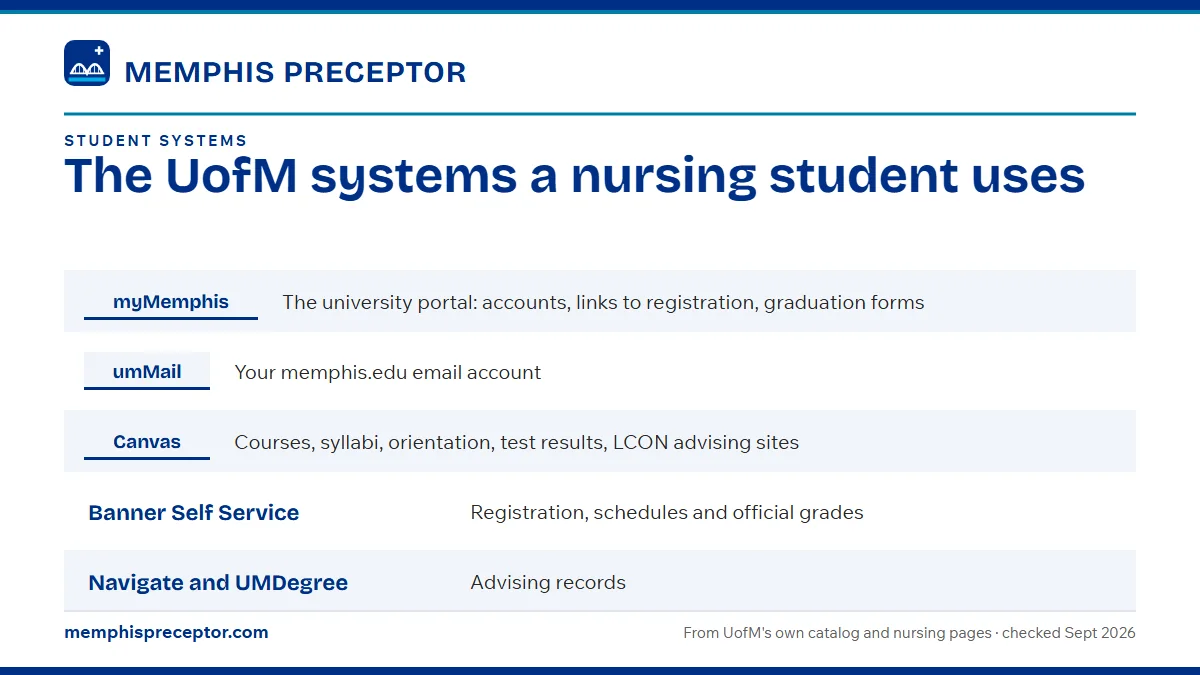
Most of your UofM nursing life runs through a handful of systems: myMemphis for your university account and registration, umMail for every formal message from LCON, and Canvas for courses and advising sites. Navigate and UMDegree hold your advising record, and the umTech Service Desk is the first stop when something stops working.
Get your placement plan
Tell us your UofM program and where you live. A placement advisor replies with the preceptor and site options that fit your UofM course.
Which system does what
Here is the short version, with the clinical angle for each. The sections below add the rules that come with them, taken from the 2026-27 LCON Academic Bulletin and UofM's own system pages.
| System | What you use it for | Why it matters in a practicum term |
|---|---|---|
| myMemphis | The university portal: accounts, links to registration, graduation forms | Your starting point for every term's registration steps |
| umMail | Your memphis.edu email account | LCON sends all formal communication here |
| Canvas | Courses, syllabi, orientation, test results, LCON advising sites | Weather and clinical-change notices post here |
| Banner Self Service | Registration, schedules and official grades | Confirms a practicum and its companion course sit in the same term |
| Navigate and UMDegree | Advising records | Your advisor records each advising contact |
| umTech Service Desk | IT help | First stop for account and system problems |
myMemphis and Banner: accounts and registration
myMemphis is the portal linked from the header of every memphis.edu page, and most university business begins there. The Academic Bulletin sends graduating students to their myMemphis portal for graduation forms, so it stays useful from your first term to your last.
Registration, class schedules and official grades live in Banner Self Service. The Bulletin tells students to check their course schedules in Banner before each term, which matters most when a practicum is coming. Clinical and didactic companion courses have to be taken together in the same semester, and a quick look in Banner confirms both are on your schedule.
Payments run through TigerXpress, UofM's online payment system. The clinical ID card you wear in every clinical is one of the purchases handled there, as the questions below explain.
umMail: the channel LCON uses
LCON's rule leaves no room for doubt: "All formal communication from LCON to students will be through the U of M email account." That covers program notices and advising messages, and the Bulletin adds that dismissal notices go by email as well.
Treat umMail as part of the practicum. Clinical faculty expect your clinical schedule by Monday of week two, and any change goes to them in writing a week ahead. With LCON's formal messages all landing in umMail, a faculty reply that sits unread for days can leave a clinical day unapproved, and clinical practice without faculty approval is grounds for dismissal from the course.
During a practicum term, check umMail every day, including the days you spend at your site, so nothing from LCON or your clinical faculty waits on you.
Canvas: courses, advising sites and clinical notices
Canvas is UofM's learning management system. It holds syllabi, orientation, course materials and test results, and it is where LCON posts weather and clinical-change notices. Grades post in Canvas as well as in Banner.
LCON's advising sites also live in Canvas, and the Bulletin says students "will be held responsible for all posted materials." Read your advising site at the start of each term the way you would read a syllabus, since it carries program information that no one will send you separately.
One source points somewhere else. The 2024-25 faculty handbook describes an FNP advising site, covering clinical placements, preceptors and affiliation agreements, and places it on Navigate. If you are an FNP student, look for it in both Canvas and Navigate and ask your Faculty Advisor which copy is current.
Navigate, UMDegree and your Faculty Advisor
Navigate and UMDegree are the student records systems where Faculty Advisors record every advising interaction. You will spend little time in them yourself, but what goes into them follows you through the program.
Each MSN student is assigned a Faculty Advisor and must be advised every semester, meeting at least twice, usually in small groups. The Bulletin names two moments when a visit is required: whenever a clinical grade comes back failing or unsatisfactory, and whenever any grade falls below B. The college sends no reminders, so those meetings belong on your own calendar.
Advisors are the right first stop for questions that cross systems, such as how a withdrawal or an Incomplete affects the next practicum. The grades and progression guide covers those rules, and the academic calendar has the 2026-27 dates and withdrawal windows.
The clinical tools that sit beside them
Two clinical systems work alongside the university ones, and each has its own guide. DISA Complio holds your health and compliance records; see Complio compliance. HealthStream myClinicalExchange handles onboarding with clinical sites; see myClinicalExchange.
Forms you will meet in a practicum
- The preceptor agreement form, which needs sign-off from the Office of Community Partnerships and Practice ahead of day one
- The Student Clinical Evaluation Tool, the rating form your faculty and preceptor complete on your clinical performance
- The Practicum Leave of Absence Request Form, which goes to your clinical instructor a week or more ahead of any planned absence
UofM's public pages leave the hour-recording system unnamed. Ask your clinical faculty in week one how hours are tracked this term, and check the course Canvas site for the method.
Help desks, libraries and alerts
The umTech Service Desk calls itself "your starting point for Information Technology Services." It sits in Room 100 of the Administration Building, accepts online service requests and email, and posts its hours on a separate page. For account trouble or a Canvas problem that is not about course content, start there.
University Libraries serve LCON, and the Bulletin asks every student to attend a library orientation before beginning nursing coursework. CINAHL, Medline, OVID and Health Reference Center Academic are reachable off campus through your university account, and interlibrary loan fills the gaps. The Health Sciences Library is on the second floor of the Community Health Building, and Lambuth students have their own library in the L. L. Gobbel building.
Writing and Communication Services works from the first floor of McWherter Library and serves Lambuth students online. UofM Alert, run on Everbridge, sends emergency notices, and TigerLink, powered by Handshake, books Career Services appointments.
Where we fit alongside UofM's systems
UofM's systems run your courses, records and clearance; our service runs next to them and feeds them. Whatever part UofM takes in your placement, we line up a preceptor and a clinical site that fit UofM's requirements, then hand you everything the next step asks for, organized and on time.
- Preceptor and site details organized for the preceptor agreement form, ready well before the semester
- A checklist of your Complio and myClinicalExchange items with the dates that matter for your site
- Your practicum dates set against UofM's calendar: the week-two clinical schedule, the seven-week minimum and the drug screen window
- A replacement search if a preceptor drops partway through a term
Your clinical faculty and the Office of Community Partnerships and Practice make every approval decision, and our job is a submission that needs no second round. Start with the form below.
Questions UofM students ask
How do I get the UofM nursing clinical ID card?
Buy it through TigerXpress, UofM's online payment system, or in person at Wilder Tower 115. You must wear the ID during clinicals. The Academic Bulletin also refers to a Tiger Help Desk request ticket for clinical ID orders, so follow the ordering steps LCON sends to your umMail.
Can I use my personal email to reach LCON advisors?
Use your memphis.edu account instead. The Bulletin names the university address as the official channel for advising and asks students not to use personal or work email for it. Writing from umMail also keeps your messages in the same thread as LCON's formal notices, which all arrive there.
What is Scrub Hub at the UofM nursing college?
Scrub Hub is the Loewenberg College of Nursing's ticket form for student questions, hosted on Cognito Forms and linked from the nursing website with the line "Have questions or concerns? Submit a ticket through ScrubHub." Use it for nursing questions that are not technical; umTech handles IT problems.
What is iAM at the University of Memphis?
iAM, Account Identity Management, is the system that creates and manages your university account. It uses the activation code sent with your acceptance letter. That university account is the one you carry across UofM's systems, including off-campus access to the library databases.
Do I keep Canvas access if I get an Incomplete in a practicum?
Yes. UofM's registrar says a student given an Incomplete keeps access to that course in Canvas. Graduate students have one major term to finish an Incomplete, and any Incomplete left unfinished becomes an F on its own, so settle the remaining clinical hours with your clinical faculty early.
Related pages
Last checked 2026-09-27
We check these pages against UofM's 2026-27 catalog, the LCON Academic Bulletin, program pages and licensure disclosures. Your clinical faculty and your plan of study have the final word.
Whether UofM helps or you start alone, we find the preceptor.
Tell us your UofM concentration, your next practicum and the town you train near. We find preceptors and sites that fit the course and prepare what the preceptor agreement form needs, early enough for approval before the first clinical day.
- Preceptors matched to the rotation rules: an NP preceptor, family practice for FNP, inpatient and critical care for AG-ACNP
- License, certification and site details ready for the preceptor agreement form, with your Complio items in order
- Across the Mid-South, Tennessee and the states UofM serves
Start your placement plan
Your concentration, your town and your next clinical semester is all we need to begin.